
Featured photo by Breno Cardoso via Pexels
Picture the morning after. You’re curled up on the sofa, still in the glow of it all, and your phone keeps buzzing. Your cousin has posted a blurry dance floor video to her story. Your best friend sent three photos on WhatsApp, all slightly squashed. Your new father-in-law swears he took “hundreds” and will “sort them out at some point”.
Somewhere across a hundred phones is the best photo of your whole wedding. The trick is getting it into one place before it disappears into someone’s camera roll forever.
That’s what a wedding photo sharing app is for. Guests scan a QR code or tap a link, upload what they’ve shot, and everything lands in one gallery that you own. Simple idea, but the apps that do it are surprisingly different once you read the small print.
We’ve rounded up nine of the most popular options in 2026, from dedicated QR code apps to the free tools you already have on your phone.
An Honest Note Before We Start
We make Posy, and Posy is on this list. You should read our ranking with that in mind.
What we can do is show our working. Every price and limit below was read from each company’s own website on 25 October 2026, unless we say otherwise. Where a competitor does something better than us, we’ve said so. Prices change often, so check the current plan before you buy anything, including ours.
What Actually Matters When You Compare
Most of these apps look identical on their homepage: a QR code, a pretty gallery, a happy couple. The differences hide in four places.
Do guests need to download anything? Every app that asks guests to install something or create an account loses a chunk of them at the door. Your great-aunt will not be making a password at 11pm.
Is there an upload cap? Plenty of cheaper plans quietly limit how many photos your guests can share. A hundred guests taking five photos each is five hundred photos, and guests have no idea a limit exists until it stops working.
How long is the gallery open? There are usually two clocks: how long guests can keep uploading, and how long you can download afterwards. Wedding photos have a habit of surfacing weeks later, when someone finally clears their phone.
Can you get the originals? If you can’t download full-resolution files, you’re renting your wedding photos, not keeping them.
1. Posy
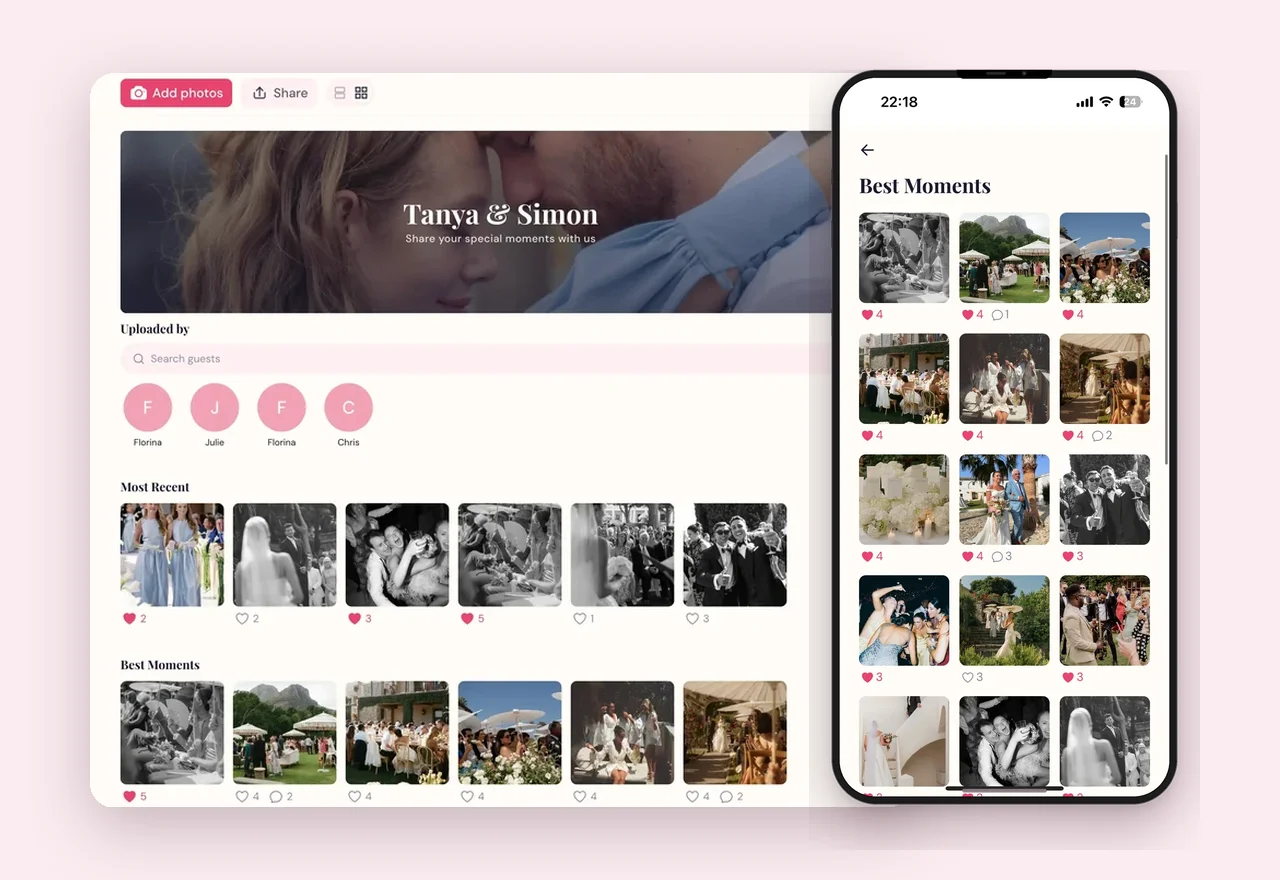
Yes, we put ourselves first. Posy collects every photo and video your guests take into one private gallery. Guests scan a QR code and upload straight from their browser, with no app and no account. Every plan includes unlimited uploads and twelve months of access, and you pay once based on your guest count: $29 for up to 50 guests, $59 for up to 150, and $99 for 200 or more.
Why we love it:
- Unlimited photos and videos on every plan, including the cheapest
- The same twelve months of access whichever plan you pick
- Full-resolution downloads, and a private gallery with no public feed
Worth knowing: There’s no free tier. If you want to try the idea for nothing first, Wedibox, Kululu, and GuestPix all let you.
Perfect for: Couples who want every photo kept in full quality, without anyone watching a counter.
See what Posy costs for your guest list
Unlimited photos and videos, twelve months to collect them, and one payment from $29. No app for your guests and nothing to renew.
See pricing →2. GuestCam
A polished, photo-focused app with no app or account needed for guests, and no cap on guest numbers or uploads on either plan. Standard is $49 with a six-month upload window and twelve months of storage. Premium is $97, with twelve months of uploading, fourteen months of storage, and up to six separate galleries. GuestCam also offers a feature that helps guests find the photos they appear in.
Why we love it:
- Unlimited guests and uploads on both plans
- The clock starts on your wedding date, not the day you buy
- Multiple galleries on Premium, handy for a weekend of events
Worth knowing: No free plan, and the upload window on Standard closes after six months.
Perfect for: Couples planning several events, or anyone who wants more than one gallery.
3. Wedibox
Wedibox does photo sharing plus a lot more. There’s a free plan with 50 guest photo uploads, then three one-time plans. Embed at $29 puts an upload widget inside a wedding website you’ve already built. Wedding at $49 adds a live slideshow, an audio guestbook, and its own wedding website. All-In-One at $79 adds RSVPs, meal choices, and a seating chart.
Why we love it:
- A genuinely free plan to test the idea with
- Embed is clever if you already love your wedding website
- One place for photos, RSVPs, and seating on the top plan
Worth knowing: The upload window moves with the plan: three months on Embed, six on Wedding, twelve on All-In-One. We’ve written a full Posy vs Wedibox comparison if you’re weighing the two.
Perfect for: Couples who want photos, website, and RSVPs from the same company.
4. Kululu
Kululu is well known for its live photo wall, which shows guest uploads on a screen during the reception. Its free plan allows 100 uploads, kept for seven days. Plus is $39 for up to 500 uploads, and Pro is $99 for unlimited uploads with a year of storage. Kululu prices by how much gets uploaded rather than how many guests you invite.
Why we love it:
- The live photo wall is a lovely touch at a reception
- A free plan that works for a small gathering
- Guest numbers never change the price
Worth knowing: The cheaper plans cap uploads at 100 and 500, which a hundred-guest wedding can reach without anyone noticing. Kululu’s pricing page was running a sale with prices hidden when we checked, so these figures are from August 2026. Our Posy vs Kululu comparison goes into more detail.
Perfect for: Receptions where a photo wall on the big screen matters as much as keeping the files.
5. GuestPix
Another browser-based app with no download or sign-up for guests. The free plan takes 50 photos over 30 days. Paid plans start from $49 and include unlimited photos and videos: Classic gives three months of uploading and twelve months of hosting, Signature gives twelve months of both, and the Signature Bundle stretches to 24 months across three galleries.
Why we love it:
- A clean, simple guest experience
- A free plan for trying it out
- Longer hosting available on the bundle
Worth knowing: Exact prices for each plan sit behind a currency switcher, so check the figure in your own currency before you commit.
Perfect for: Couples who want a tidy gallery and a long hosting option.
6. POV
POV leans into the disposable camera idea, turning every guest’s phone into a little film camera, with a limited roll of shots and photos that reveal later. It’s free for up to ten guests, and the price for bigger events scales with your guest count in a calculator on their pricing page.
Why we love it:
- Genuinely fun, with a nostalgic, playful feel
- Limited shots make guests choose their moments
- Free for a small dinner or engagement party
Worth knowing: The disposable camera charm is also the limit. If you want every photo guests take, a capped roll works against you.
Perfect for: Couples who care more about the fun of taking photos than about collecting all of them.
7. WedShoots
WedShoots is free, with unlimited uploads and high-resolution downloads. The catch is that guests need to download the WedShoots app and enter your album code before they can share anything.
Why we love it:
- Free, with no upload limit
- High-resolution downloads
- A familiar name in the wedding world
Worth knowing: Asking every guest to install an app is the biggest drop-off point in photo collection. Expect your younger friends to join and older relatives to quietly not.
Perfect for: Tech-comfortable crowds and couples with zero budget for photo sharing.
8. A Google Photos Shared Album
The free, do-it-yourself option. Create an album, turn on sharing, and print the link as a QR code. It works on any phone and costs nothing.
Why we love it:
- Completely free
- You probably already have it
- Easy to download the whole album afterwards
Worth knowing: Guests need a Google account to add photos, and lots of iPhone users don’t use Google Photos at all. There’s no moderation, no way to hide the one photo of your uncle mid-sneeze, and it all lives alongside your personal photos.
Perfect for: Small, relaxed weddings where most guests already use Google.
9. The Group Chat
Honourable mention, because everyone tries it. A WhatsApp or iMessage group costs nothing and needs no setup. It’s also where wedding photos go to get lost between “who has my cardigan?” and forty heart emojis.
Why we love it:
- Zero effort to start
- Everyone’s already in one
Worth knowing: WhatsApp compresses photos unless guests choose HD every time, videos get squashed further, and nothing is organised. Fine for a handful of photos, painful for a hundred guests.
Perfect for: Tiny weddings and elopements with a few close friends.
How to Choose the Right App for Your Wedding
Once you strip away the branding, the decision usually comes down to one question: what are you most worried about?
If you want every single photo
Pick an app with unlimited uploads on the plan you can afford, and no download for guests. Posy, GuestCam, and the paid plans from Wedibox and GuestPix all qualify. Avoid capped plans unless your wedding is very small.
If you want to spend nothing
Try the free plans from Wedibox, Kululu, or GuestPix with a few friends before the wedding, or use a Google Photos shared album. Just be honest with yourself about the limits: 50 or 100 uploads goes very fast at a real wedding.
If you want a show on the night
Look for a live slideshow or photo wall. Kululu and Wedibox both offer one, and it’s a nice way to get guests uploading early, because nothing gets people sharing like seeing a friend’s photo on the big screen.
If you’re planning a whole weekend
Choose something with multiple galleries or a long window, so the welcome drinks, the ceremony, and the recovery brunch don’t all blur together.
If your guests span four generations
No app downloads, no accounts, no passwords. Every extra step costs you photos from the people whose photos you’ll treasure most.
Getting Guests to Actually Use It
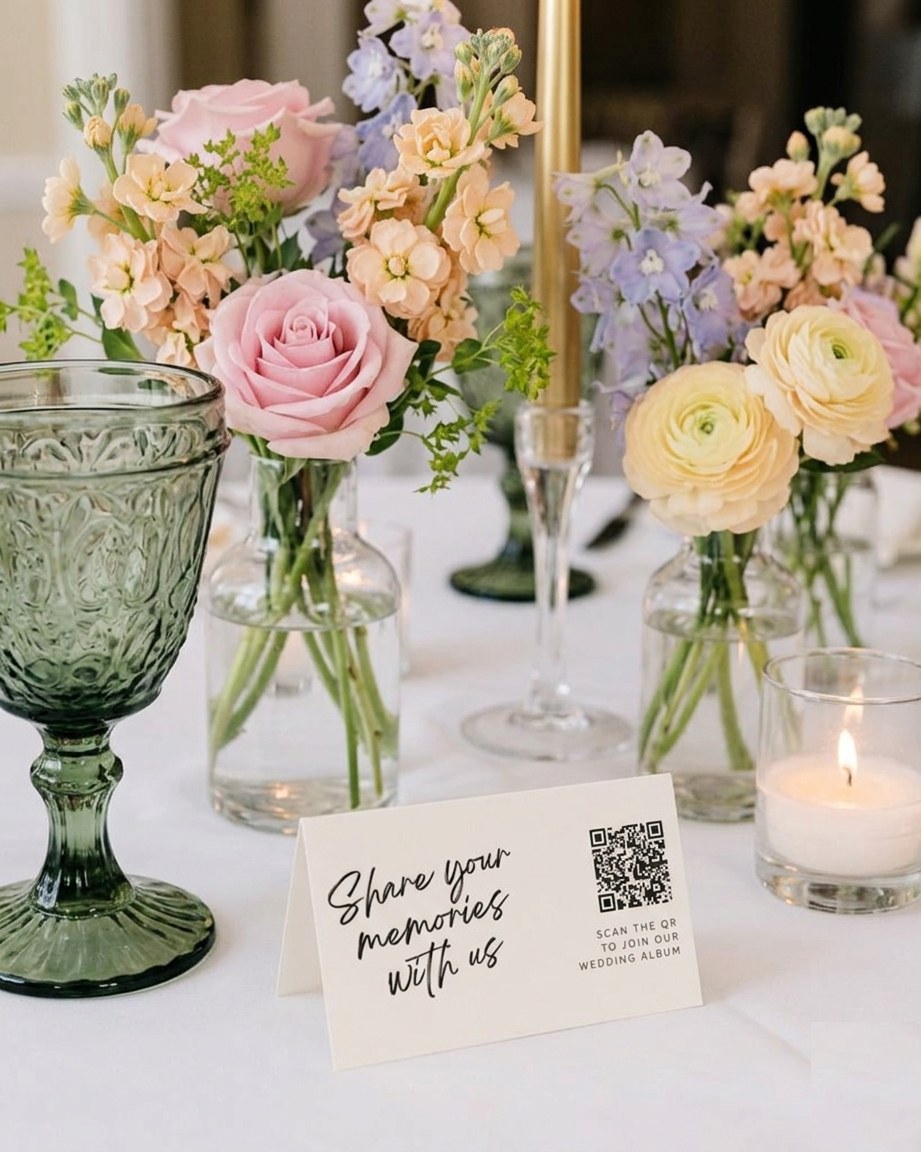
Even the best app only works if people know about it. Put your QR code everywhere guests pause: the welcome sign, the tables, the bar, and the back of the order of service. Ask your MC or DJ to mention it once during dinner. And upload a few photos yourselves early on, so the gallery doesn’t look empty when the first guest opens it.
We’ve written a whole guide on how to collect photos from wedding guests, with tips on placement, timing, and what to say on your signs. If you’re adding a hashtag to the mix, our free wedding hashtag generator will come up with one in seconds.
Frequently Asked Questions
What is the best free wedding photo sharing app?
For a truly free option with no limits, WedShoots is the most generous, although guests need to download its app. For no download, a Google Photos shared album is free but needs guests to have a Google account. The free plans from Wedibox, Kululu, and GuestPix are good for testing but cap uploads at 50 to 100 photos.
Do guests need to download an app to share wedding photos?
Not with most modern options. Posy, GuestCam, Wedibox, Kululu, and GuestPix all work in the phone’s browser after scanning a QR code. WedShoots is the main exception on this list.
How long do wedding photo sharing apps keep your photos?
It varies a lot, from seven days on some free plans to two years on the most expensive ones. Check both clocks: how long guests can upload, and how long you can download. Whichever app you choose, download a full backup as soon as the uploads slow down.
Can I use a wedding photo app alongside my professional photographer?
Absolutely, and you should. Your photographer captures the moments that matter most, beautifully. Your guests capture everything else: the dance floor at midnight, the kids under the table, the view from the back row. Together they tell the whole story.
There’s no single best wedding photo sharing app, only the best one for your wedding, your guests, and your budget. Whichever you choose, the important part is choosing one before the big day, rather than spending the honeymoon chasing photos through group chats. If you’re still deciding, our alternatives guides look at what each app does well and where the small print catches couples out.
And if photos are only one of a hundred things on your list, our free Wedding Planning Checklist breaks the rest into simple, manageable steps, so you can spend less time on admin and more time looking forward to the day itself.